
What mobile app does
- Same lists, colours, filters and layers as the web app
- Tap a pin to see its fields and edit them on site; edits sync back to your CRM
- Long-press the map to add a record at that spot
- Saved routes with Optimize and Trip mode
- Navigate with Google Maps, Apple Maps or Waze
- Search places and records across your lists
- Free on the App Store and Google Play
Plan the day, then drive it
Open a saved route, optimize the stop order and start the trip. Each stop hands off to your navigation app, and the next one is a tap away.
Add a record from the doorstep
Long-press anywhere on the map and the address is filled in from that spot. Pick the list, fill in a couple of fields and save: the new record lands in your CRM or spreadsheet.
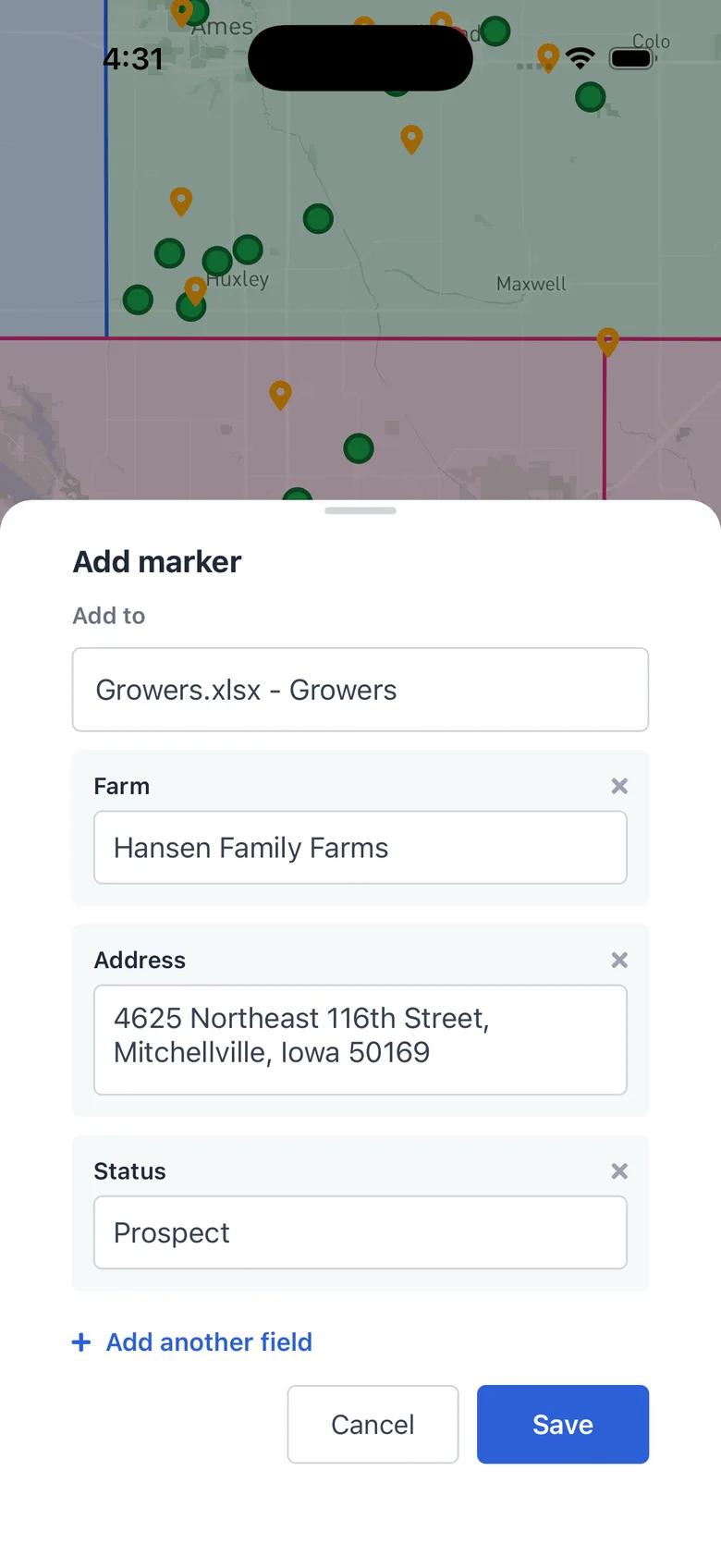
Mobile App in GeoMaps
Everything you set up on the web shows up in the app: your lists with their colours and icons, filters, territories and other layers, and saved routes. Records from your CRM or spreadsheet stay in sync, so the phone always shows the current accounts.
Tap any pin to open the record with the fields you chose to show. Change a value on site and it's saved straight back to your CRM. Long-press anywhere on the map to add a new record with the address filled in from that spot.
Open a saved route, optimize the stop order and start the trip. Each stop opens in Google Maps, Apple Maps or Waze, and the next stop is one tap away.
It's part of GeoMaps' route optimization tools, so it works hand in hand with the rest of your map.
Where mobile app helps
Field sales visits
Check an account's last order and spend in the parking lot, then update what changed right after the meeting.
Door-to-door canvassing
Drop a pin at every house you knock on, with notes, without typing the address.
Daily delivery and service routes
Open today's route, follow the stops in order and hand each one off to your navigation app.
Mobile App FAQ
- Is the app free?
- Yes. It's included with every GeoMaps plan, including Free. Download it from the App Store or Google Play and sign in with your GeoMaps account.
- Can I edit records on my phone?
- Yes. Tap the pencil next to a field to change it. The change is saved in GeoMaps and written back to your CRM for connectors that support two-way sync.
- Does it work with my CRM or spreadsheet?
- It shows whatever your workspace is connected to: CRMs, Google Sheets, Excel or CSV uploads. There's nothing extra to set up on the phone.
- Which navigation apps does it open?
- Google Maps, Apple Maps (on iPhone) or Waze. Choose a default in Settings or pick each time.