
Balanced territories in one click
Pick a list, how many territories you need and what to balance by: number of accounts or revenue. GeoMaps builds them from whole counties or ZIP codes and shows each territory's total before you save.
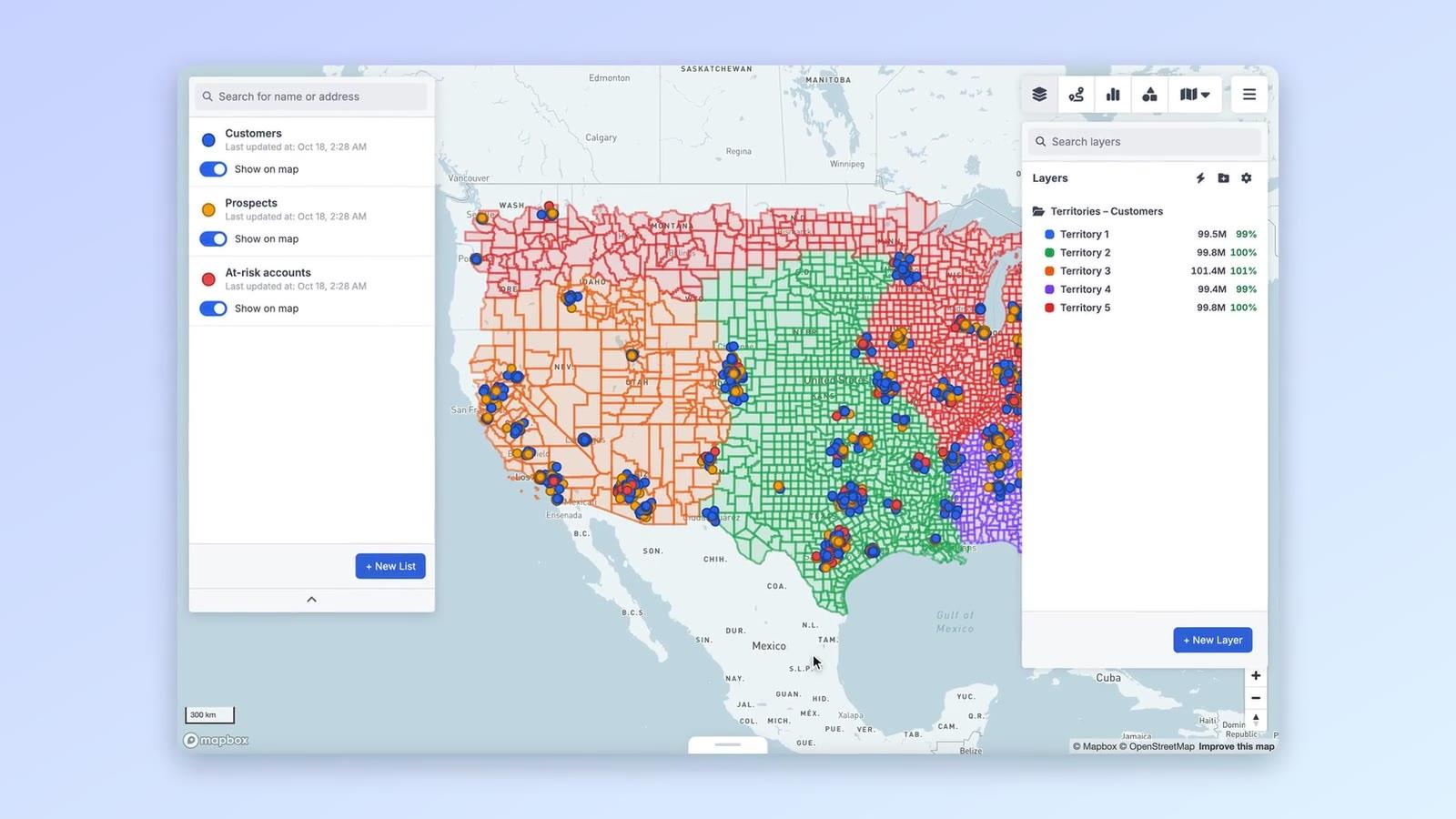
See how even they are
Every territory shows its total and % of the average, live as your data changes. Even out moves border areas between neighbours and shows the before and after.
Territories from ZIP codes
For a single metro area, build territories from ZIP codes so each rep gets a compact patch close to home.
More ways sales territory management teams use GeoMaps
Plan for a new hire
Preview what five territories look like against six before you hire, and see how much each patch would change.
Rebalance after growth
When accounts or revenue drift, see which territories are over or under the average and even them out.
Give each rep their own book
Filter lists to the accounts inside a territory, and let reps see only the CRM records they own.
Features you'll use
Connect the data you already have
See all integrations


FAQ
- How does GeoMaps balance territories?
- Choose 2 to 30 territories and whether to balance by the number of records or the total of a number field such as revenue. GeoMaps builds them from whole ZIP codes or counties, keeps each one in a single connected piece where the area allows, and shows each territory's total and % of the average before you save.
- Does it work outside the US?
- Yes. Besides US ZIP codes and counties, territories can be built from boundary sets in the UK, Australia, New Zealand, Ireland, Germany, France, Spain, Italy, Belgium, Denmark and South Africa. You can also draw territories by hand anywhere.
- Can I edit territories after they're created?
- Yes. They're saved as normal layers: rename and recolour them, edit their borders, add or remove ZIP codes, and use them in filters like any other layer.
- Does it work with our CRM?
- GeoMaps connects directly to CRMs such as Close, Copper, Capsule, Salesmate, OnePageCRM and Less Annoying CRM, and to Google Sheets and Excel, so territories always reflect your current accounts.