
Check-ins, reports and email reports
Log each visit with a note from the mobile app, then see everyone's visits by day.
Check in at a record from the GeoMaps mobile app to log a visit with a note. Each check-in is saved with your name and the time. Reports in the app show everyone's visits by day, and you can get them by email.
Check in at a record
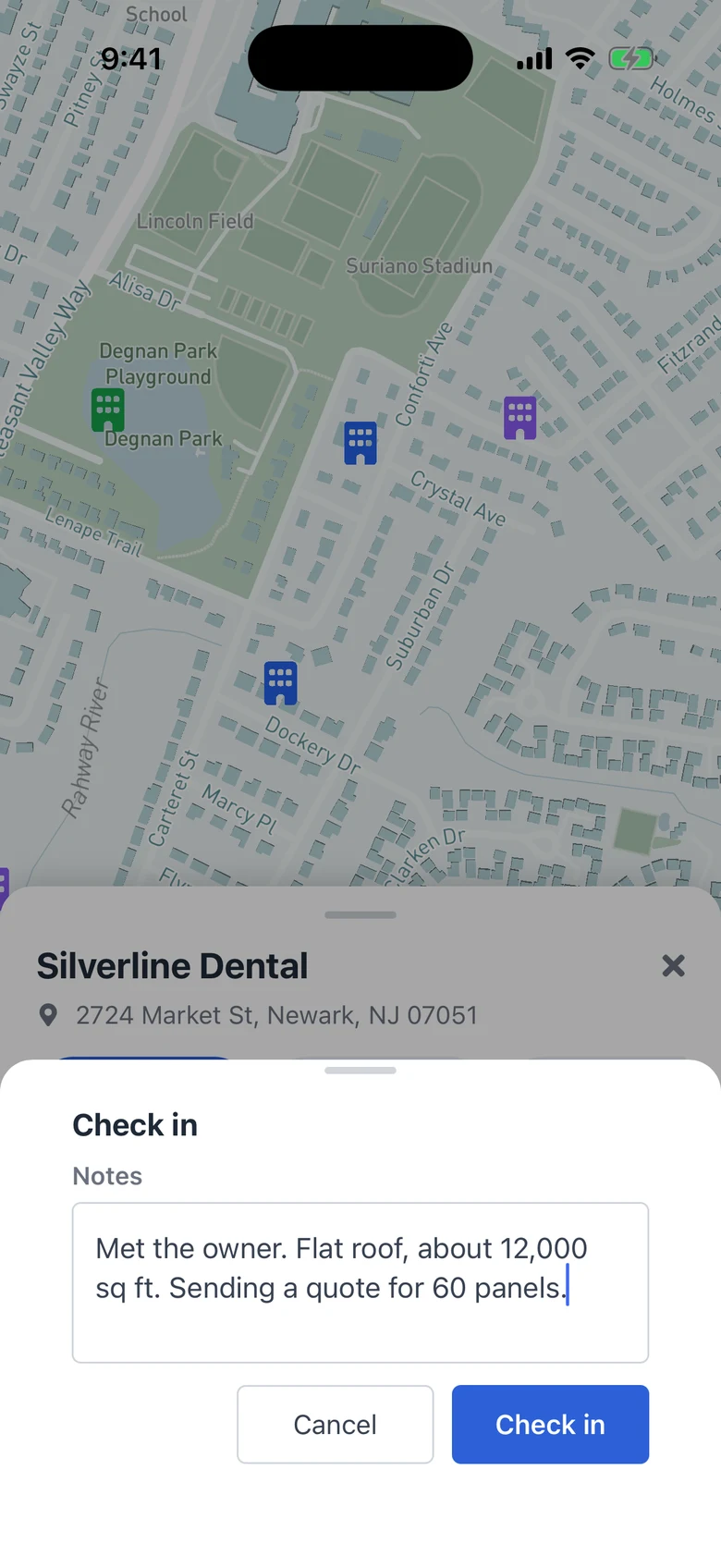
In the GeoMaps app for iPhone or Android, tap a pin on the map to open the record. Tap Check-in, the circle-check button next to Navigate. Write a note about the visit (optional) and tap Check in.
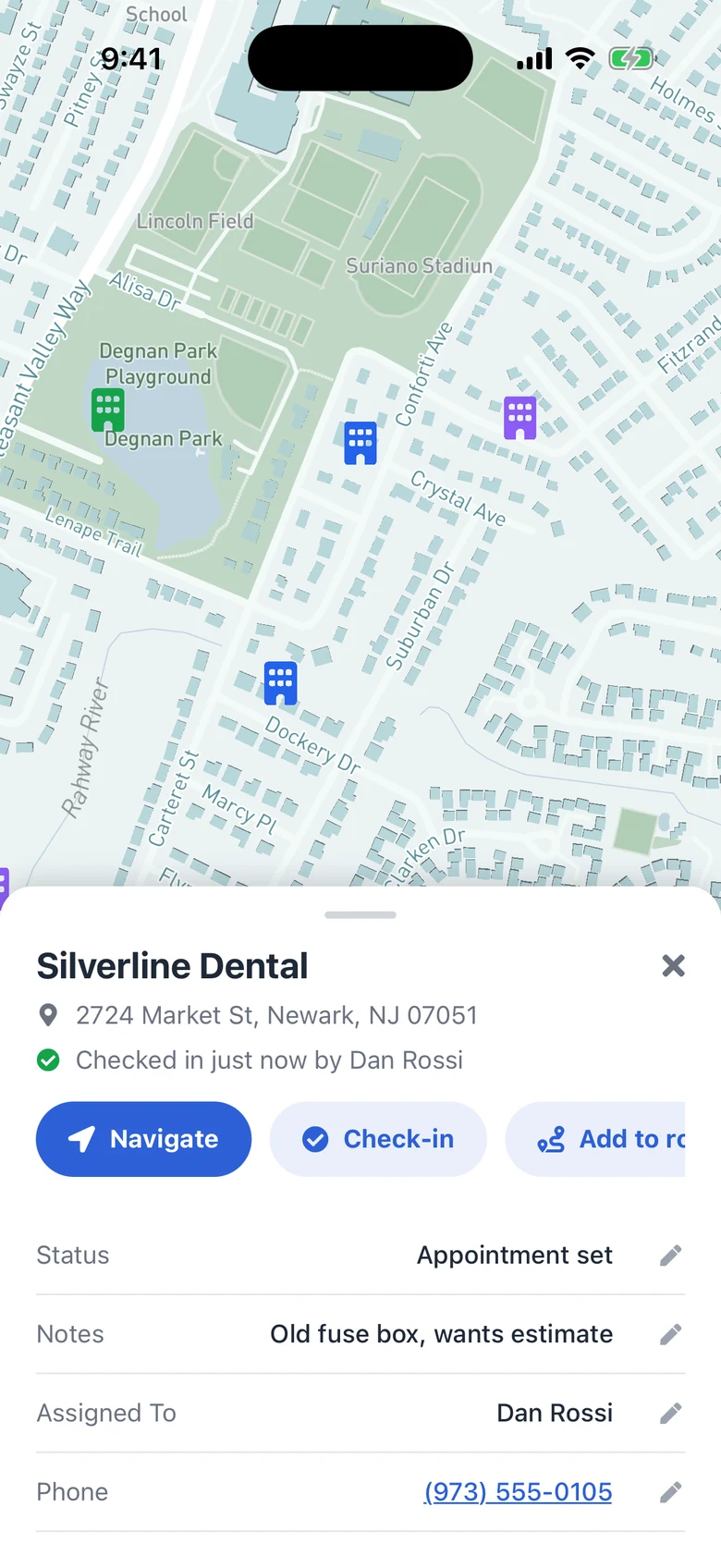
The record then shows its last visit, for example Checked in just now by Dan Rossi, for everyone on your team.
No signal? Check in anyway
Without a connection, the check-in is kept on your phone and the record says it's waiting for signal. It's sent automatically when the phone is back online, and reports show the time of the visit, not the time it synced.
Notes saved to your CRM
For Less Annoying CRM, LeadConnector, Capsule, Copper and Close, the note is also added to the record in your CRM, with your name and the visit time. For other data sources, such as Google Sheets, Excel or CSV files, check-ins are kept in GeoMaps only.
See check-ins in Reports
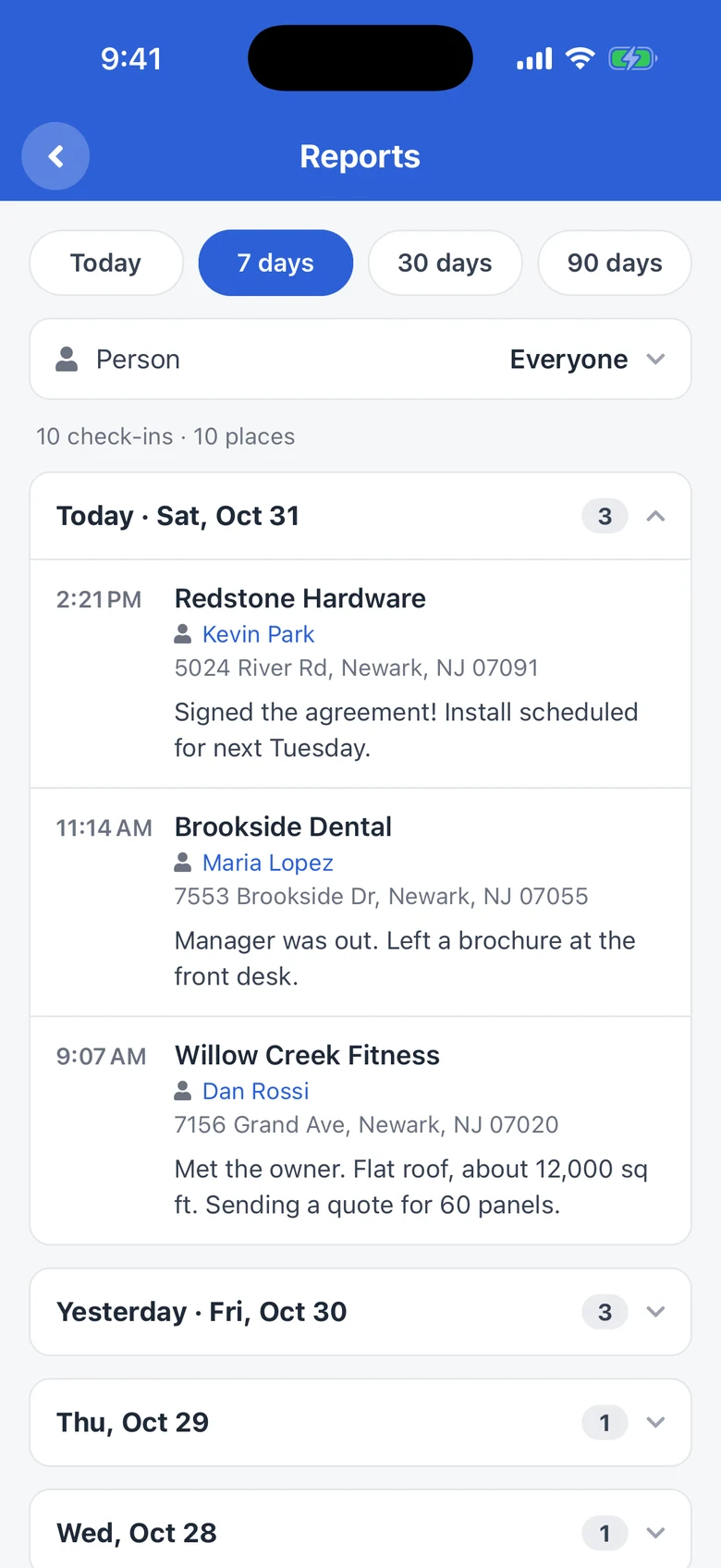
In the mobile app, open Settings and tap Reports under Field visits. Pick a period (today, or the last 7, 30 or 90 days) and tap a day to read its visits and notes. Team members see their own check-ins. Owners and admins see everyone's and can pick one person.
Get reports by email
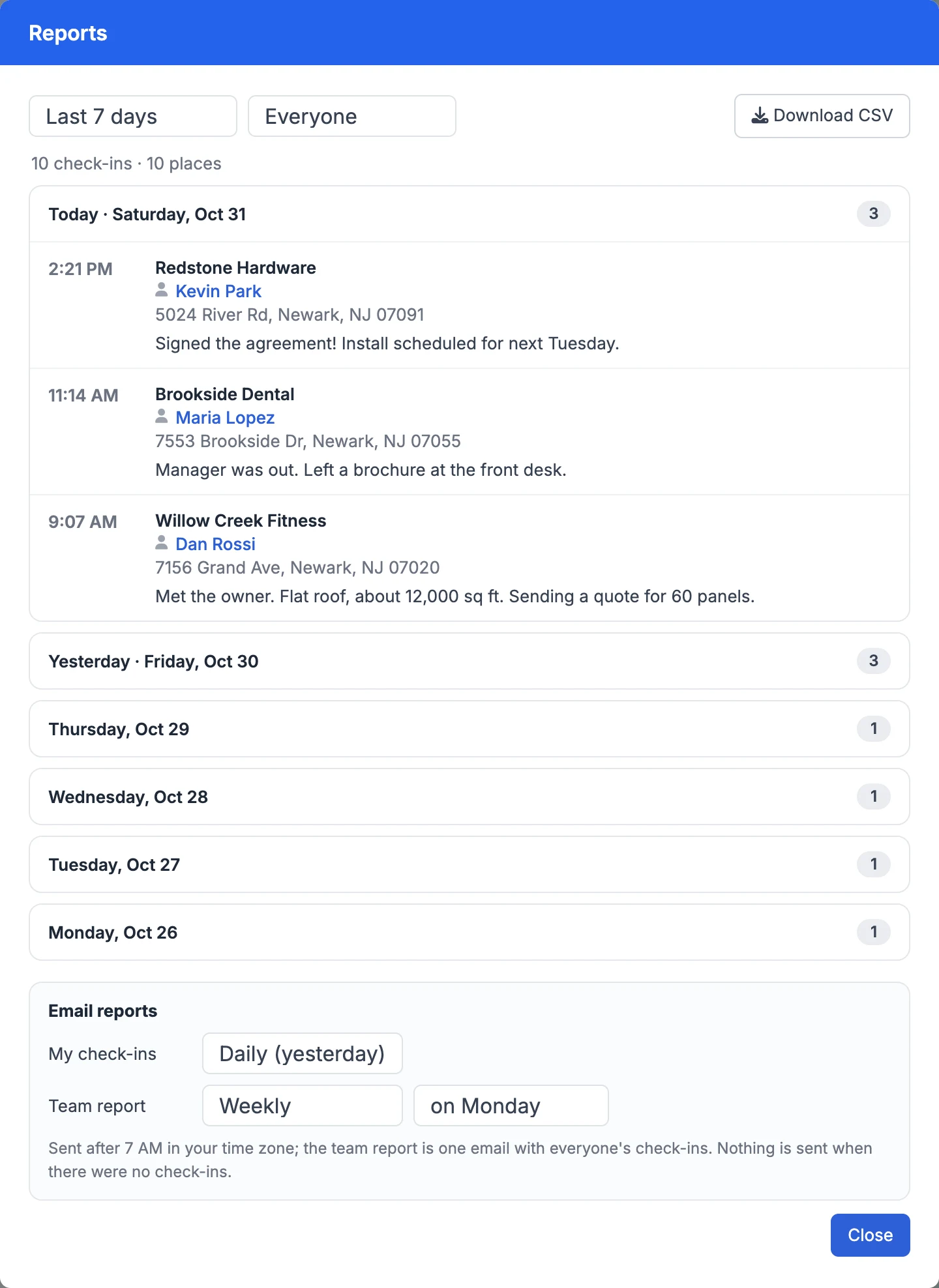
At the bottom of Reports, under Email reports, choose how often you want My check-ins: daily (yesterday's visits), weekly on a day you pick, or monthly on a date you pick. Owners and admins can also turn on the Team report: one email with everyone's check-ins, grouped by person.
Reports are sent after 7 AM in your time zone. Nothing is sent for a period with no check-ins. Each email has a link to turn that report off.
Open reports in the email shows the full report on the web, where you can switch period or person and Download CSV.
Lists by last visit
Every record has a Last check-in date system field you can filter lists on. For example:
- Never visited: Last check-in date is empty.
- Visited this month: Last check-in date this month.
- Not visited in 30 days: Last check-in date more than … days ago = 30, or Last check-in date is empty.
Lists update as soon as someone checks in.
Good to know
- GeoMaps doesn't record or store your phone's location for check-ins, and there's no GPS tracking.
- Check-ins, reports and email reports are included on every plan, with no limit on how many visits you log.
- If a check-in can't be saved to your CRM (for example, the connection needs reconnecting), it's still saved in GeoMaps and Reports says why.
Still need help? Contact our team.