
CRM Map View: How to See Your CRM Contacts on a Map (Attio, Close, Copper & More)
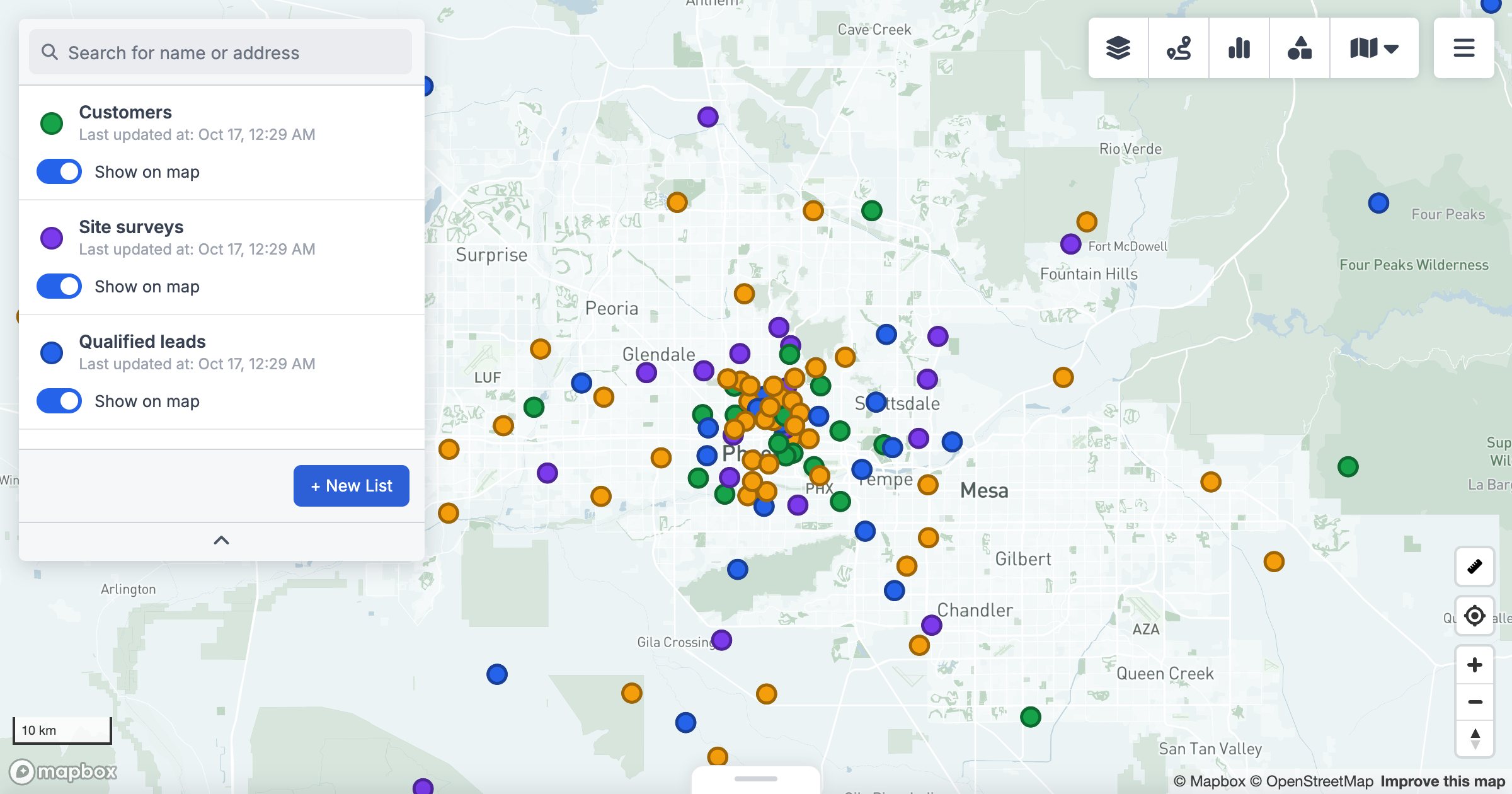
Your CRM knows where every customer, lead and deal is. It just won't show you. Most CRMs present records as lists and boards, so questions like "which customers are near this prospect?" or "how is our pipeline spread across the state?" end in a spreadsheet export and a mapping tool.
Does your CRM have a map view?
Some large CRMs ship a map view, but many popular ones don't map your records at all. At the time of writing, Attio, Close, Copper and Capsule don't include a built-in map of your records; mapping comes from apps in their marketplaces. Capsule's Android app can show a single contact's location, but not your whole database on one map.
That's why GeoMaps is listed in Attio's app directory and Close's integrations: it adds the map view these CRMs leave out.
What a CRM map view should do
A map of pins is a start. A useful CRM map view should also:
- Stay in sync with the CRM, so you never map a stale export
- Colour pins by any field: pipeline stage, owner, industry, deal size
- Filter to the records that matter right now
- Link back to the record in the CRM
- Work with several objects at once: contacts, companies, leads and deals
- Turn the map into action: routes, territories, nearby customers
How to put your CRM on a map with GeoMaps
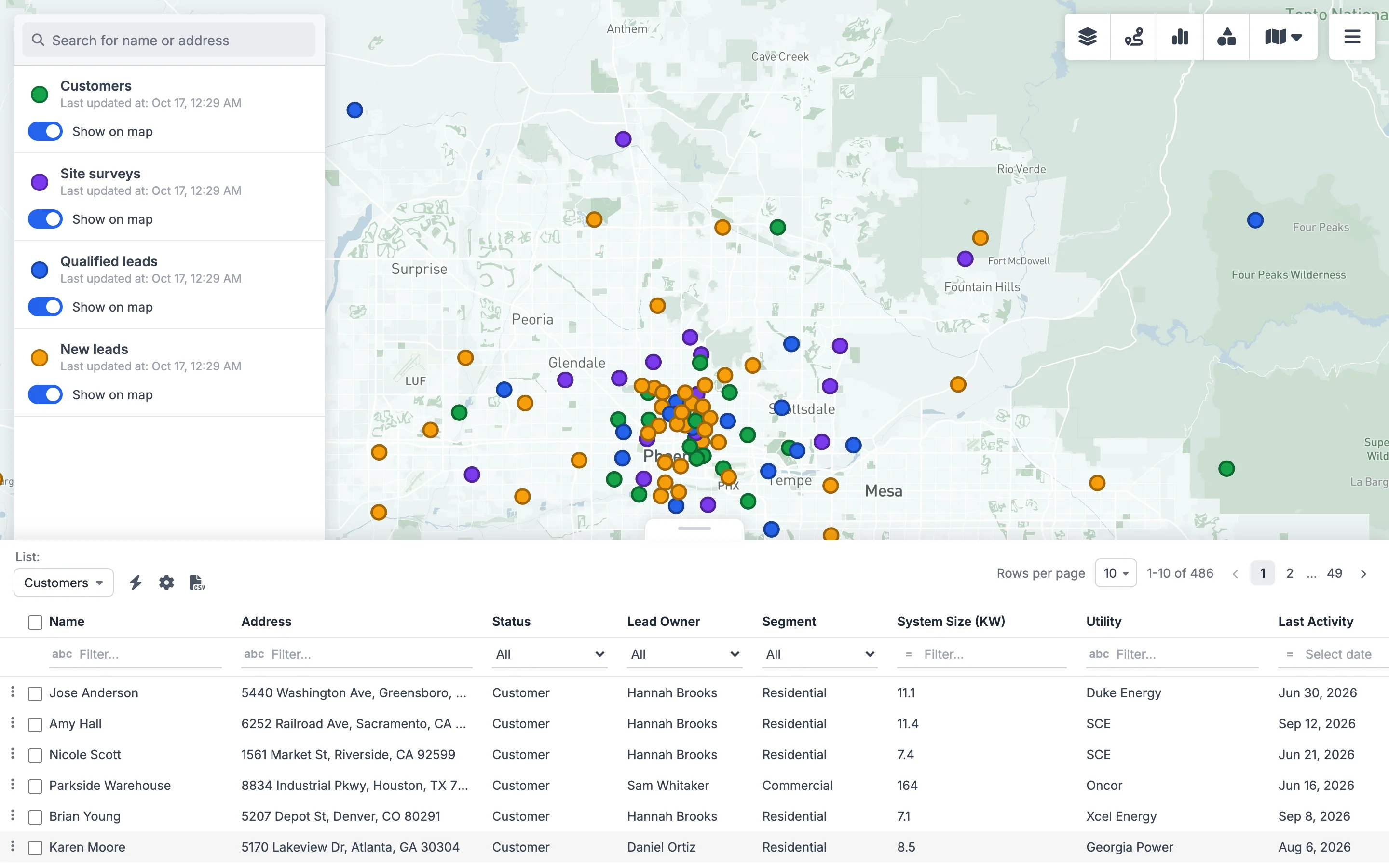
Here's the workflow with a real-world example: a solar installer whose 2,400 leads live in Close.
- 1Connect your CRM. Open Data Sources and choose your CRM. Most connect with one click (OAuth); a few use an API key. Pick the objects to map, such as leads, contacts or opportunities.
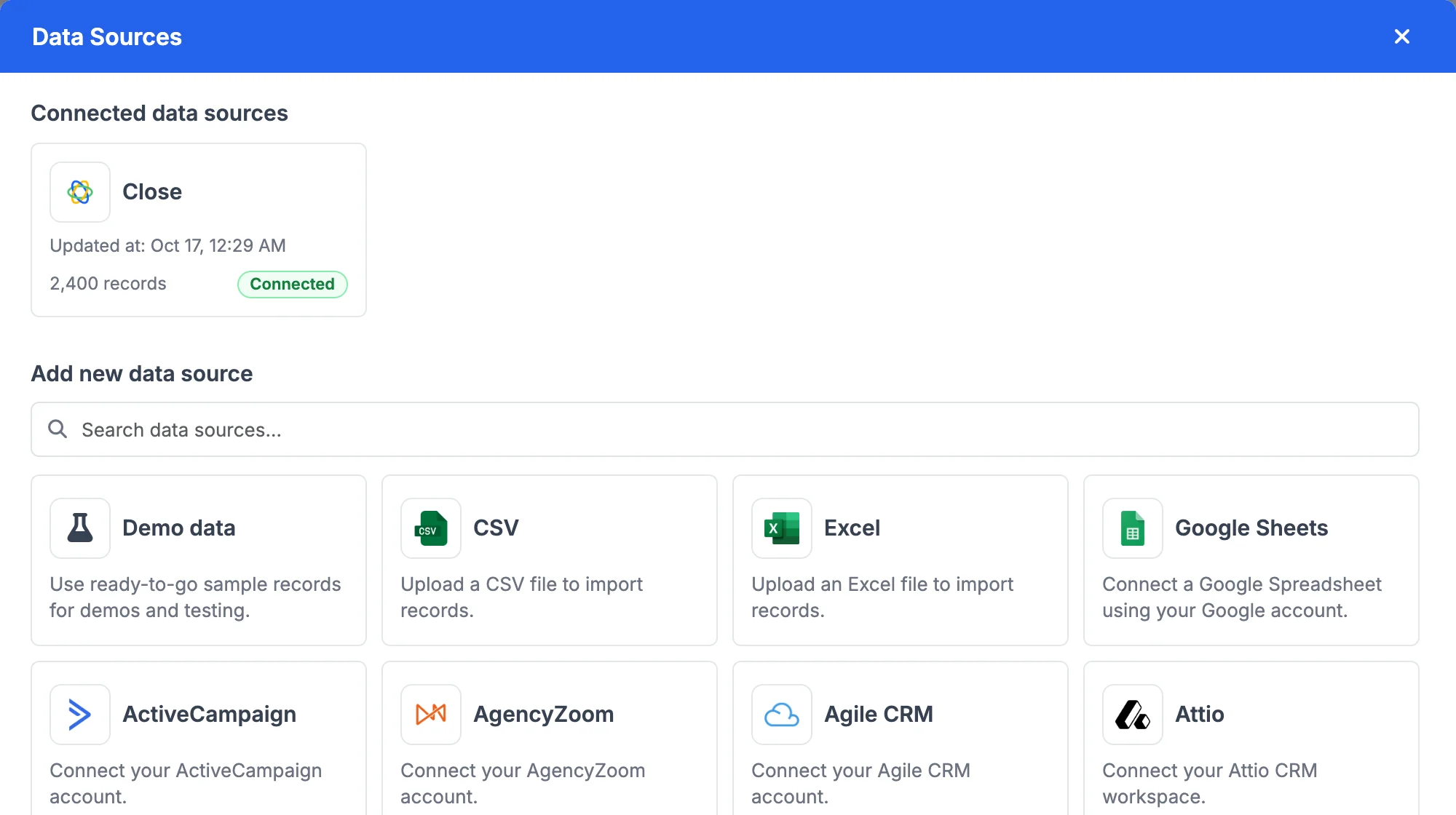
- 2Let GeoMaps place them. Addresses are geocoded automatically, and the map refreshes when records change in the CRM, so there's no re-importing.
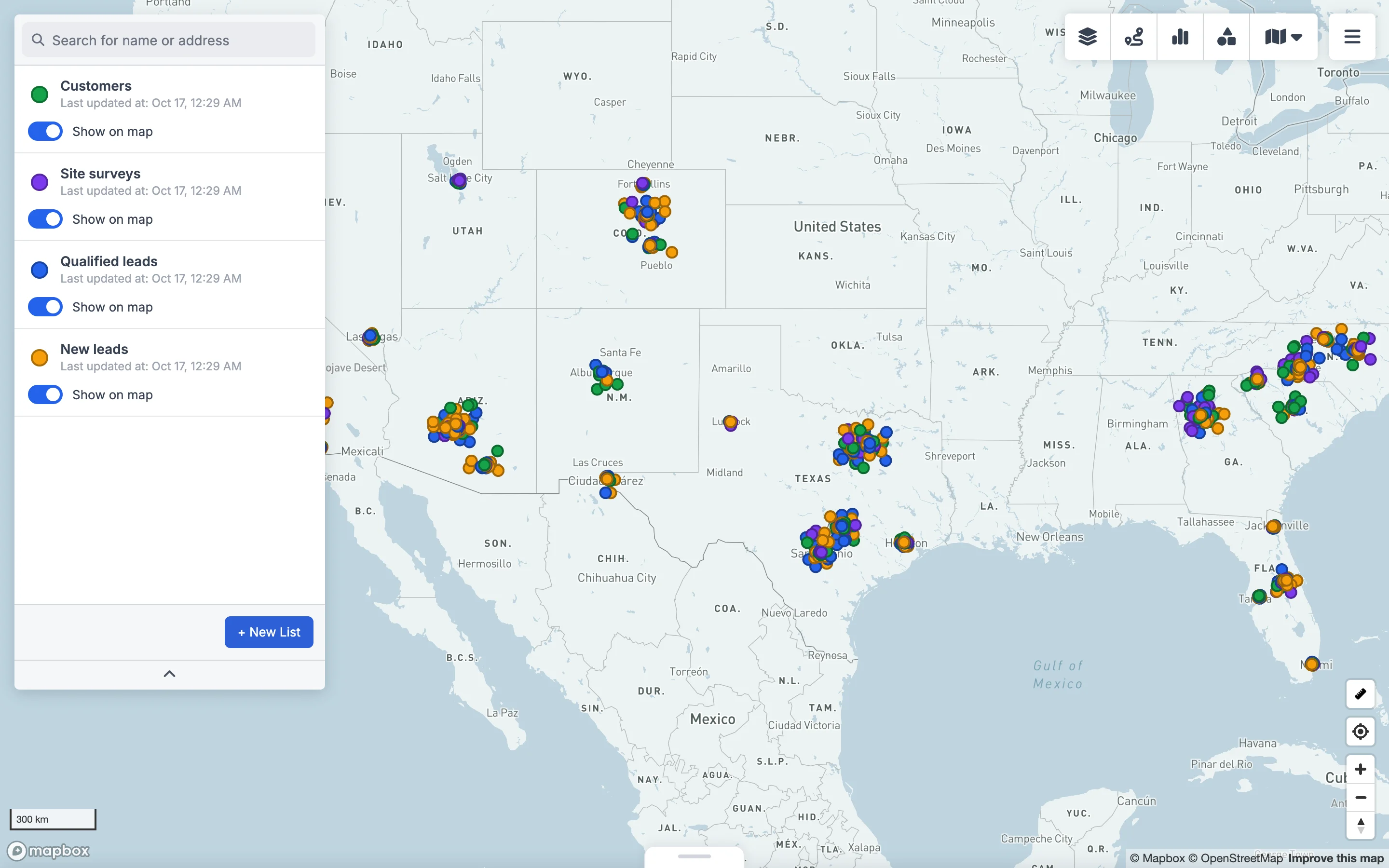
- 3Colour-code by pipeline stage. Create lists from the same data with filters, for example Customers, Site surveys, Qualified leads and New leads, each with its own colour.
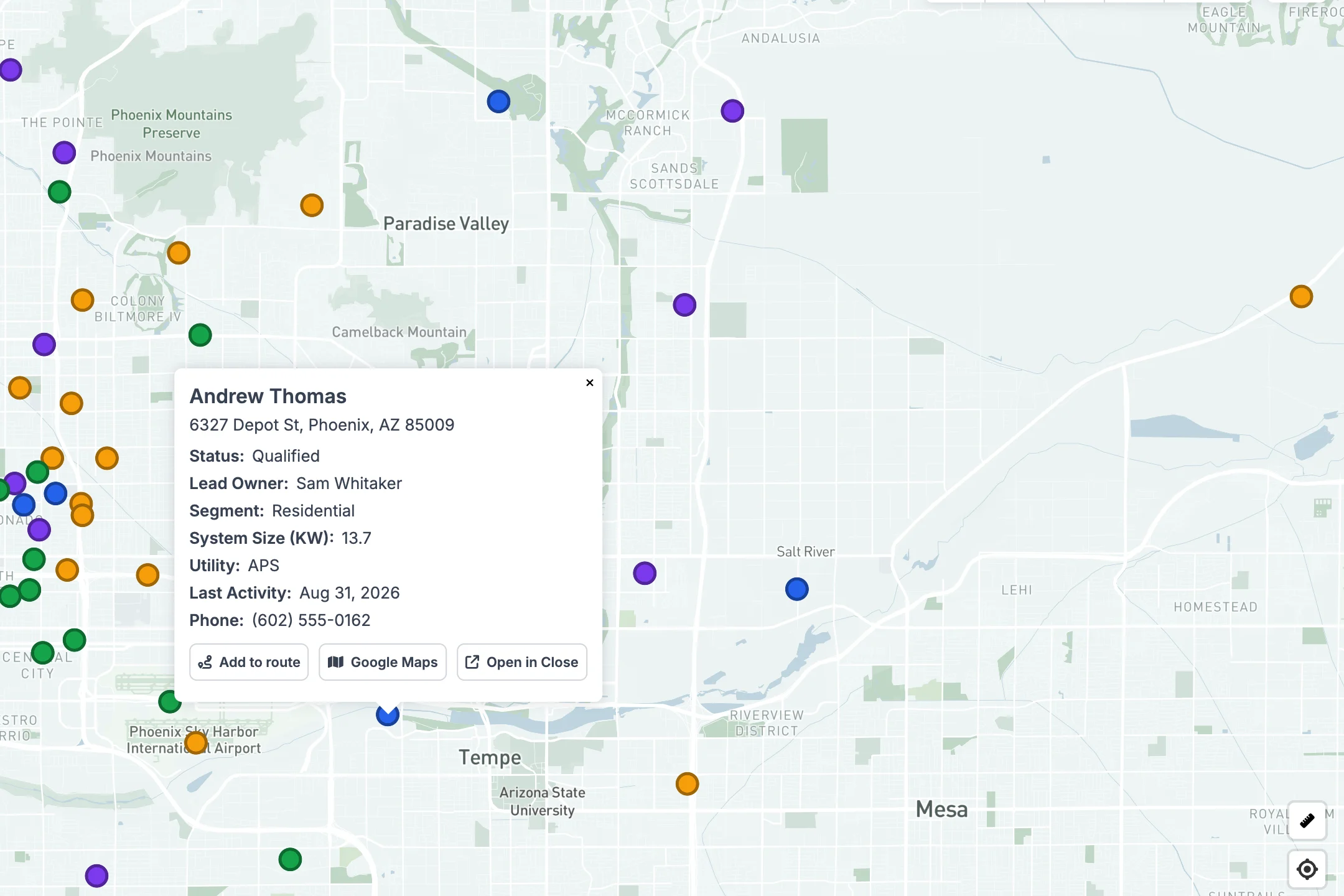
- 4Click any pin for the record. Choose which CRM fields show in the popup, then add the stop to a route, open directions or jump straight to the record in your CRM.
- 5Work the list as a table. Filter by owner, stage or any field, select records and add them to a route, or export them.
CRMs GeoMaps connects to natively
| CRM | Connects with | Best known for |
|---|---|---|
| Attio | OAuth | Flexible, modern CRM for startups |
| Close | OAuth | Inside sales and calling |
| Copper | OAuth | Google Workspace teams |
| Capsule | OAuth | Simple CRM for small businesses |
| ActiveCampaign | API key | Email marketing + CRM |
| LeadConnector (GoHighLevel) | OAuth | Agencies and local service businesses |
| Less Annoying CRM | OAuth | Small-business simplicity |
| Salesmate | API key | Sales pipelines and automation |
GeoMaps also connects natively to Insightly, Nimble, Bitrix24, OnePageCRM, Agile CRM, Vtiger and AgencyZoom, plus Google Sheets, Excel and databases. Any other CRM can feed it through a spreadsheet export or the GeoMaps API. See all integrations.
What you can do once your CRM is on a map
- Plan field visits: add nearby customers and leads to an optimized multi-stop route
- Find opportunities near customers: search around any account by radius or drive time
- Balance territories: draw areas and see the accounts and pipeline in each
- Spot gaps: use a heatmap to see where you're strong and where you're missing
- Share it: publish a live map, or share it with your team
FAQ
- Does Attio have a map view?
- At the time of writing, Attio doesn't include a built-in map of your records. Mapping comes from apps in Attio's app directory, such as GeoMaps, which syncs your Attio people and companies to an interactive map.
- Does Close CRM have a map view?
- Not built in. Close lists mapping apps in its integrations directory; GeoMaps connects with one click, maps leads, contacts and opportunities, and links every pin back to the lead in Close.
- Will the map update when my CRM changes?
- Yes. GeoMaps re-syncs connected CRMs automatically, so new and changed records appear on the map without re-importing.
- Can I map more than one CRM object at once?
- Yes. You can map contacts, companies, leads and deals together, each as its own colour-coded list, and filter each by any field.
- What if my CRM isn't on the list?
- Export it to a spreadsheet and upload it, connect Google Sheets, or send records through the GeoMaps API.