
Connect MySQL
Plot rows straight from your MySQL database.

Plot data straight from your MySQL database — connect once and GeoMaps keeps the map current.
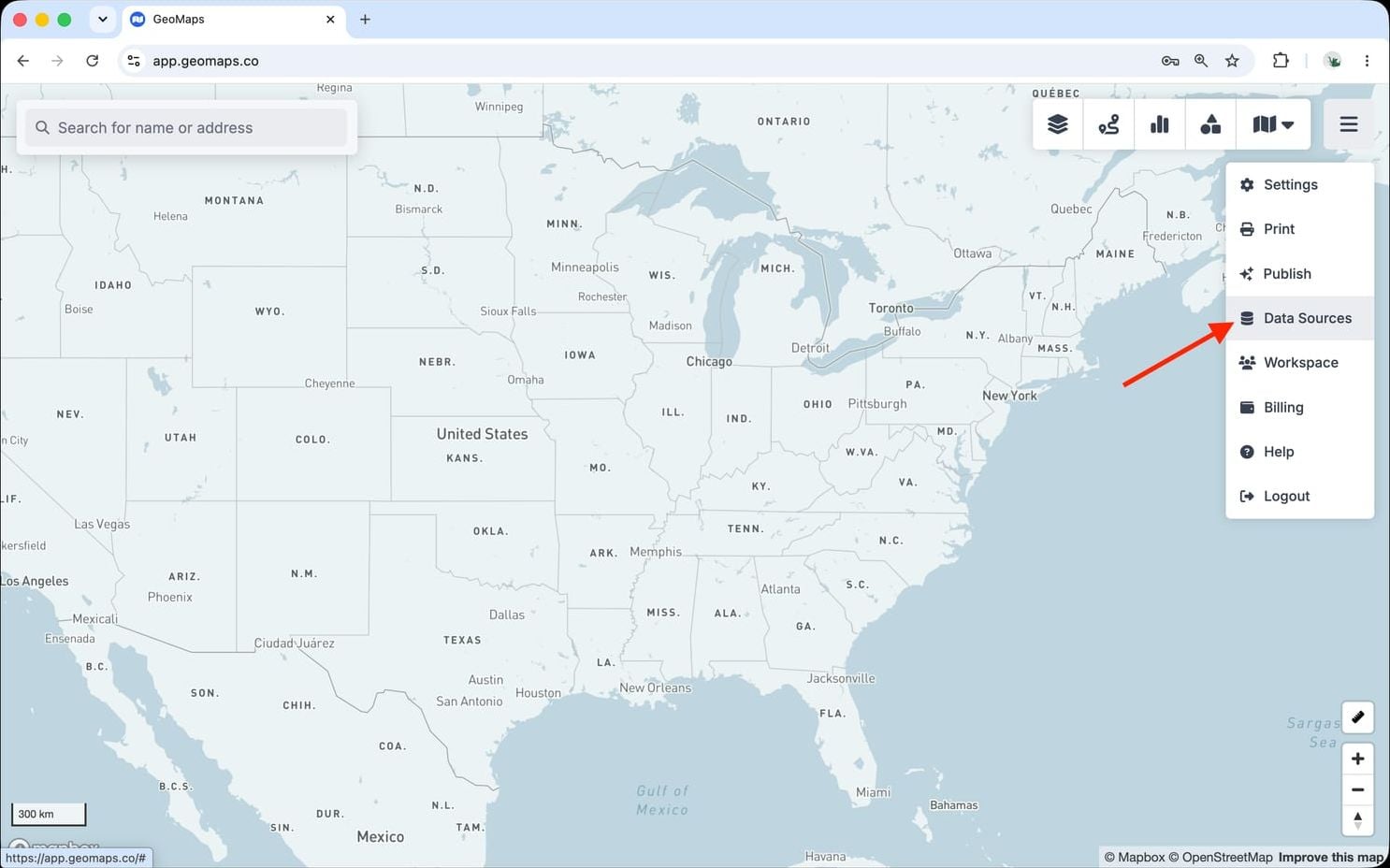
1. Open Data Sources
In GeoMaps, open the menu in the top-right corner of the map and choose Data Sources. Add a new source and select MySQL to open its connection form.
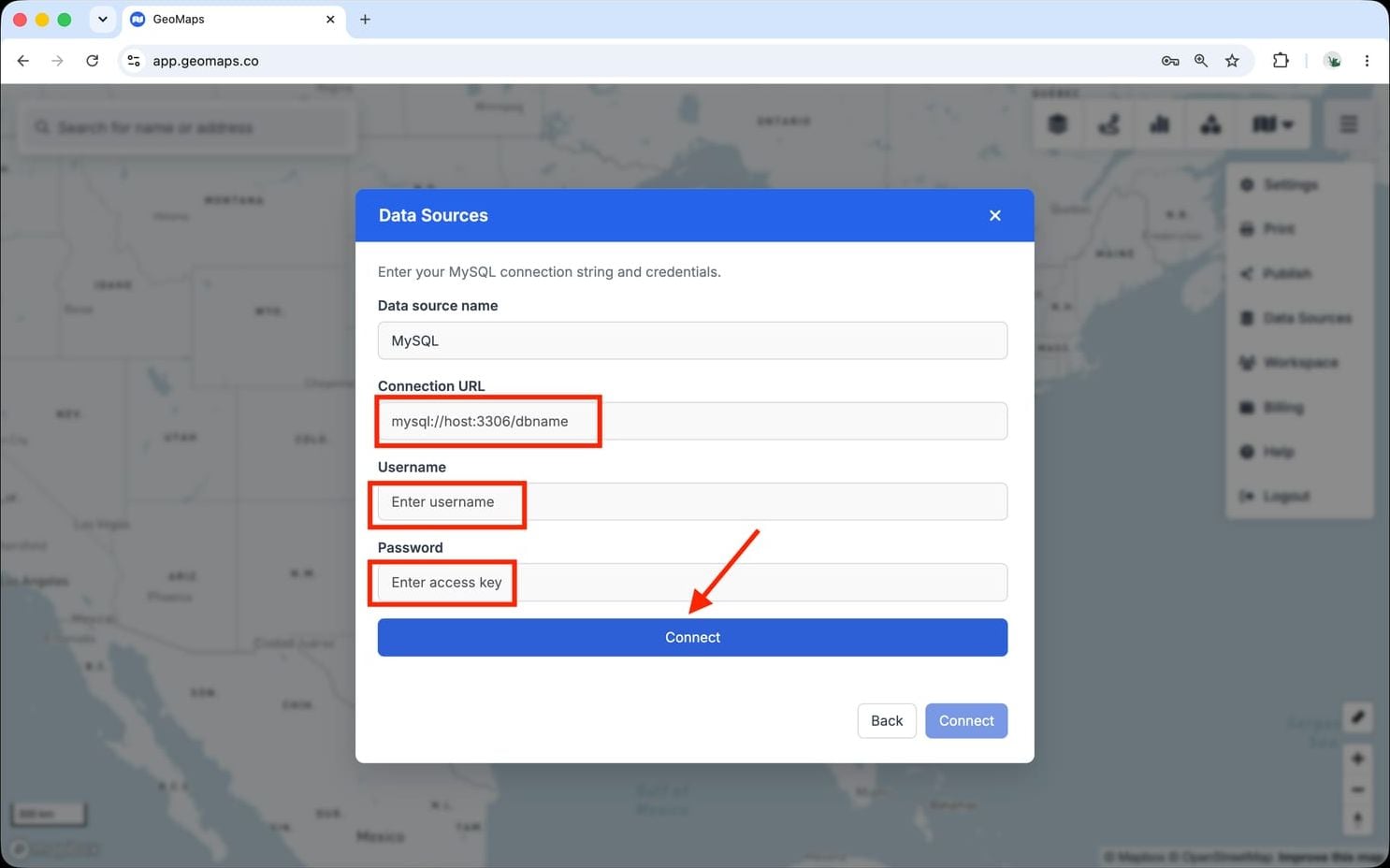
2. Connect MySQL
MySQL connects with a connection string and credentials.
- Enter your Connection URL (e.g. mysql://host:3306/dbname).
- Enter the database username and password.
- Make sure your database accepts connections from GeoMaps — allow our IP range, or point us at a read replica.
A read-only user is best — GeoMaps only reads your tables.
3. Choose a table
Pick the table or view to map and confirm the location column (a full address, or latitude/longitude). GeoMaps geocodes the rows and refreshes them on a schedule.
Still need help? Contact our team.