
Connect Insightly
Connect Insightly and put your records on the map.

Put your Insightly accounts, contacts and deals on the map so reps can see what's nearby and managers can see coverage at a glance.
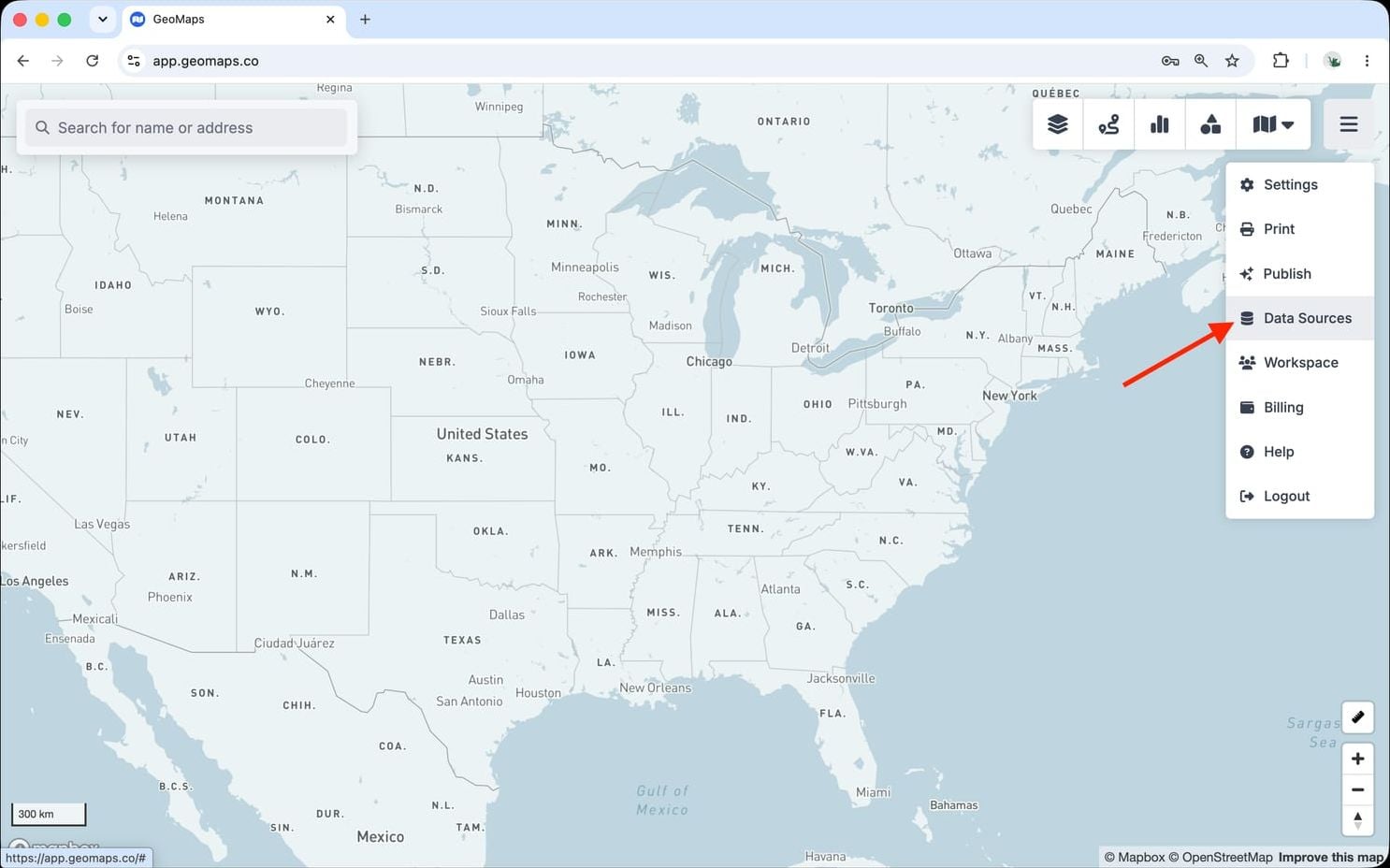
1. Open Data Sources
In GeoMaps, open the menu in the top-right corner of the map and choose Data Sources. Add a new source and select Insightly to open its connection form.
2. Connect Insightly
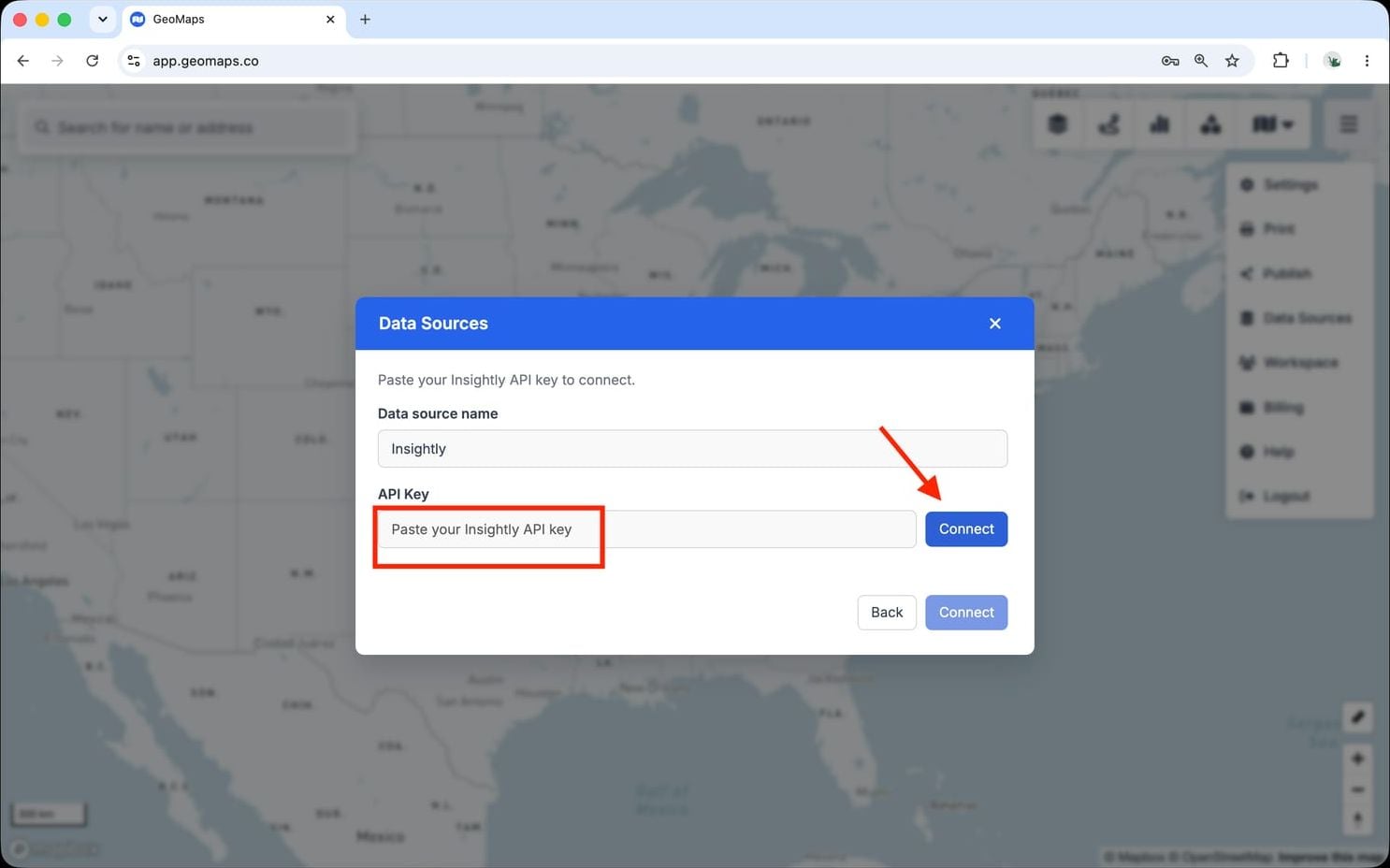
Insightly connects with an API key.
- In Insightly, open User Settings → API Key and copy the key.
- Paste it into the API Key field in GeoMaps.
GeoMaps imports Contacts, Leads, Organisations and Opportunities.
3. Choose what to map
Pick the object(s) you want to plot and confirm which field holds the address (GeoMaps suggests one for you). Every record is geocoded and dropped on the map, then kept in sync on a schedule as your data changes.
Still need help? Contact our team.