
How to Open a KMZ File (Online, Free, No Google Earth Needed)
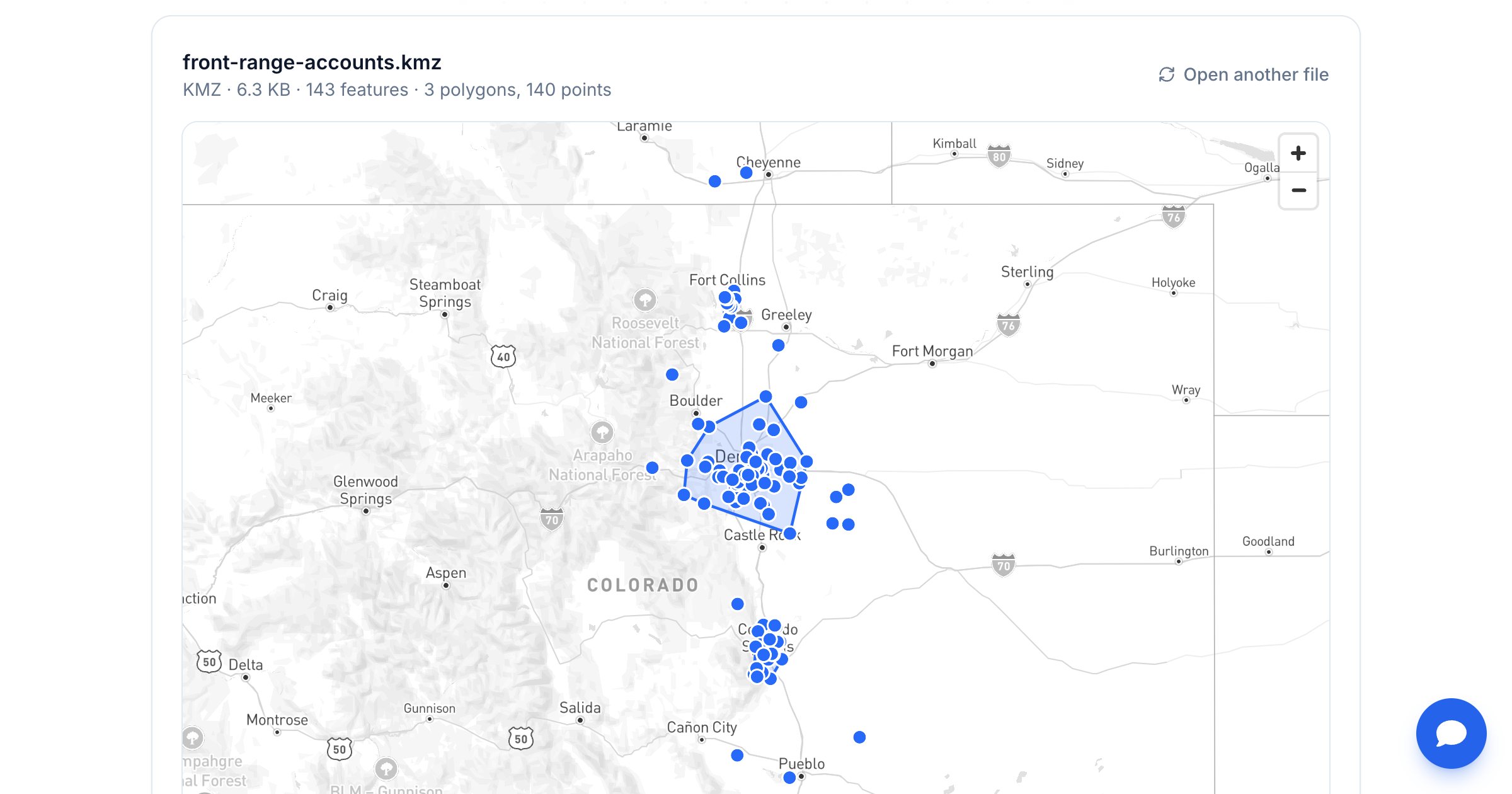
A KMZ file usually arrives as an email attachment or a download: survey points from a contractor, a service area from a vendor, sites exported from Google Earth. Then nothing on your computer will open it. This guide covers five ways to open a KMZ file, how to see the data inside it, and how to convert it when you need a different format.
What is a KMZ file?
A KMZ is a zipped KML file. KML (Keyhole Markup Language) is the XML format Google Earth uses for placemarks, paths and polygons; a KMZ bundles that KML with any icons or images it uses into one compressed file. That's why Google Earth saves places as KMZ, and why most other apps don't know what to do with it.
Inside a typical KMZ:
- doc.kml — the map data: points, lines, polygons, names, descriptions and attribute fields
- Images or icons the placemarks reference (optional)
5 ways to open a KMZ file
1. Open it online (fastest, no install)
Go to the GeoMaps KMZ viewer and drop the file in. It's unzipped and drawn in your browser, so nothing is uploaded, and the map zooms to your data. Click any placemark or shape to see its fields.
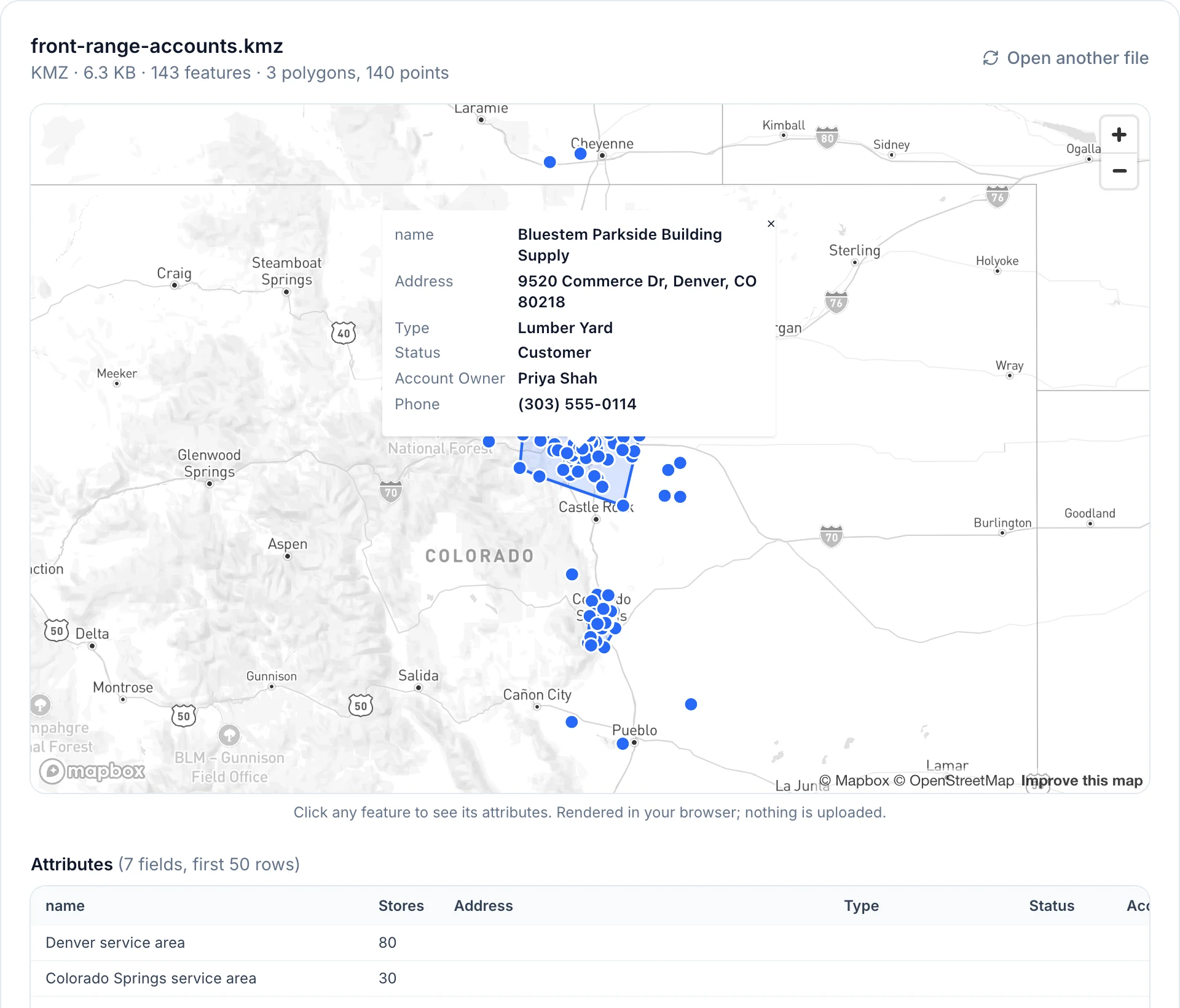
The viewer also opens KML, GPX, GeoJSON, Shapefiles (as a .zip), CSV and Excel files, which helps when you aren't sure what a file actually is.
2. Google Earth
Google Earth reads KMZ natively — it's where the format comes from. Google Earth Pro on desktop opens it with File → Open, and Google Earth on the web can import KML and KMZ files into a project. Use Earth when you need 3D terrain, image overlays or to edit the placemarks themselves.
3. Google My Maps
My Maps can import a KMZ into a map layer, which is handy if you want to share it with other Google users. Mind the limits: KML/KMZ imports max out at 5 MB, and a layer holds 2,000 places. See every Google My Maps limit before you rely on it.
4. Unzip it to get the KML
Because a KMZ is a ZIP archive, you can rename file.kmz to file.zip and open it with any unzip tool. Inside you'll find doc.kml (plain XML you can read in a text editor) plus any images. This is useful when another tool accepts KML but not KMZ.
5. GIS software
Desktop GIS tools such as QGIS and ArcGIS can read KML and KMZ data for analysis, editing and reprojecting. They're powerful but heavy if all you need is a look at the file.
How to see the data inside a KMZ
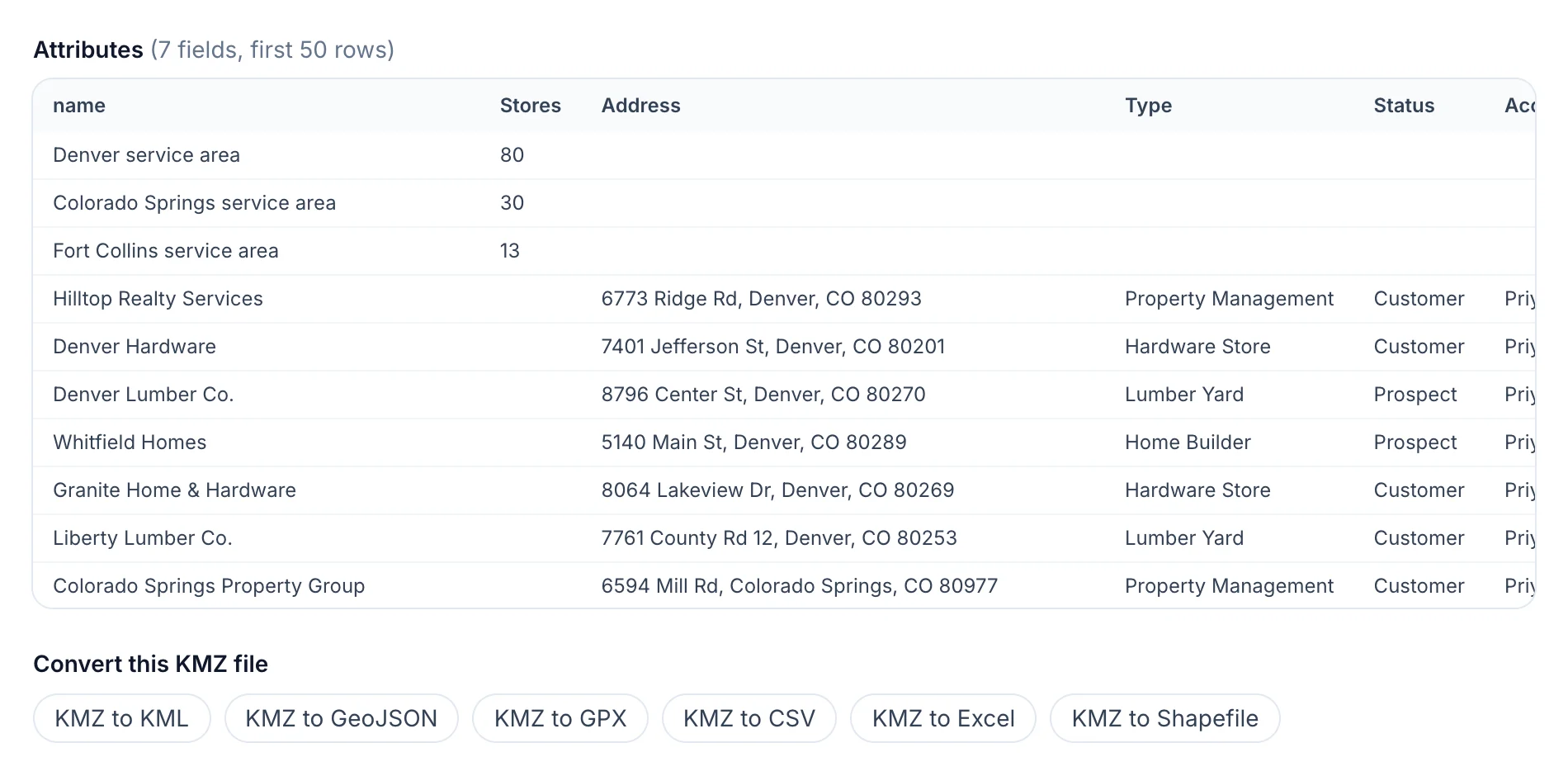
Placemarks usually carry more than a name: addresses, types, owners, IDs, dates. In the viewer, every feature's fields are listed in an attribute table under the map, with one-click links to convert the file.
How to convert a KMZ to another format
Opening is often step one; the next tool in your workflow wants a different format. All of these run free in your browser:
| You need | Converter |
|---|---|
| Plain KML for another app | KMZ to KML |
| A spreadsheet with latitude/longitude | KMZ to CSV or KMZ to Excel |
| GPS devices and route apps | KMZ to GPX |
| ArcGIS, QGIS and other GIS tools | KMZ to Shapefile |
| Web maps and developers | KMZ to GeoJSON |
Keep working with the data in GeoMaps
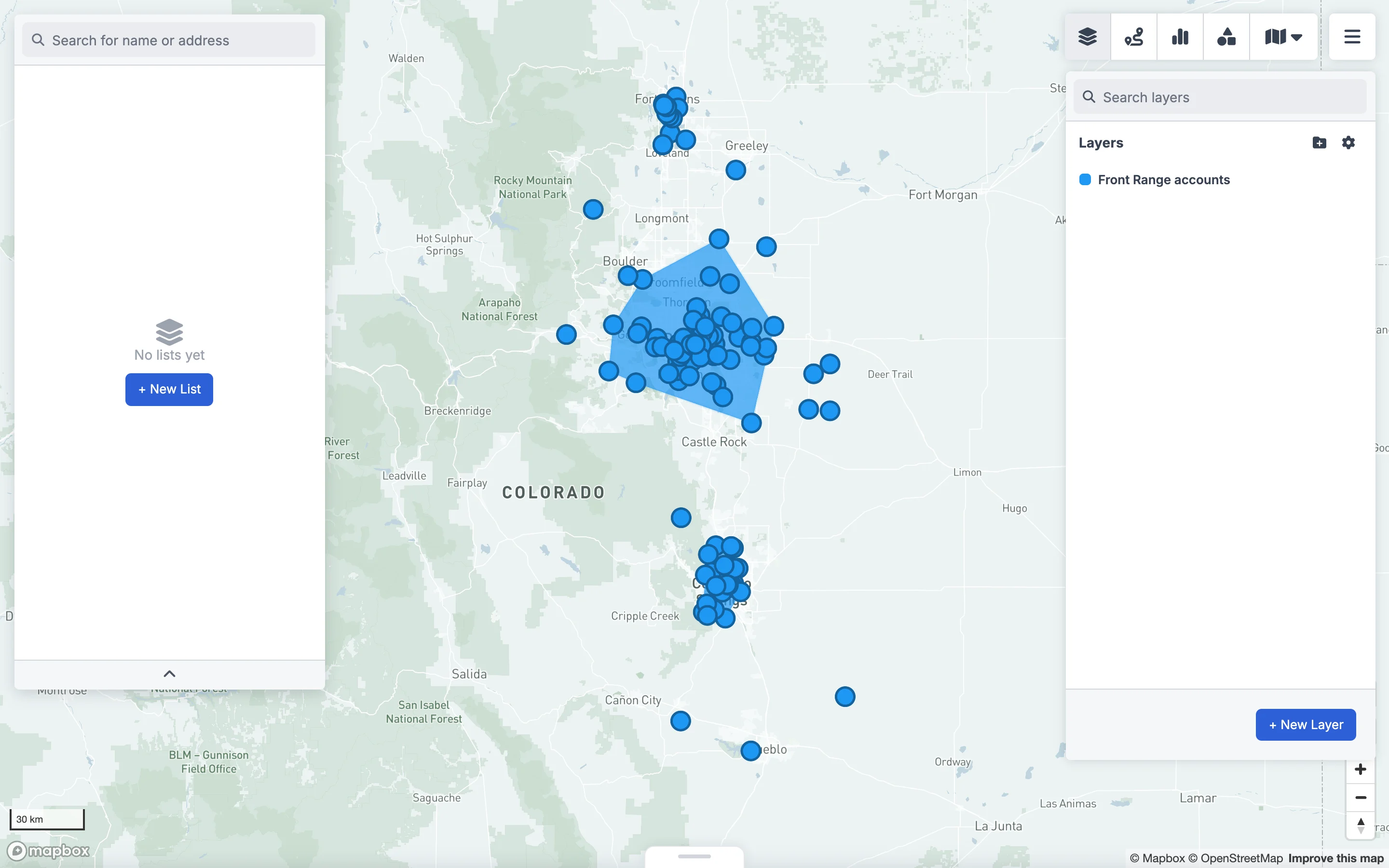
If the KMZ is something you'll come back to — territories, service areas, site locations — import it into GeoMaps as a layer, next to your own customers and CRM data.
- 1Open Layers and click New layer.
- 2Choose Import file as the layer type and drop in the KMZ.
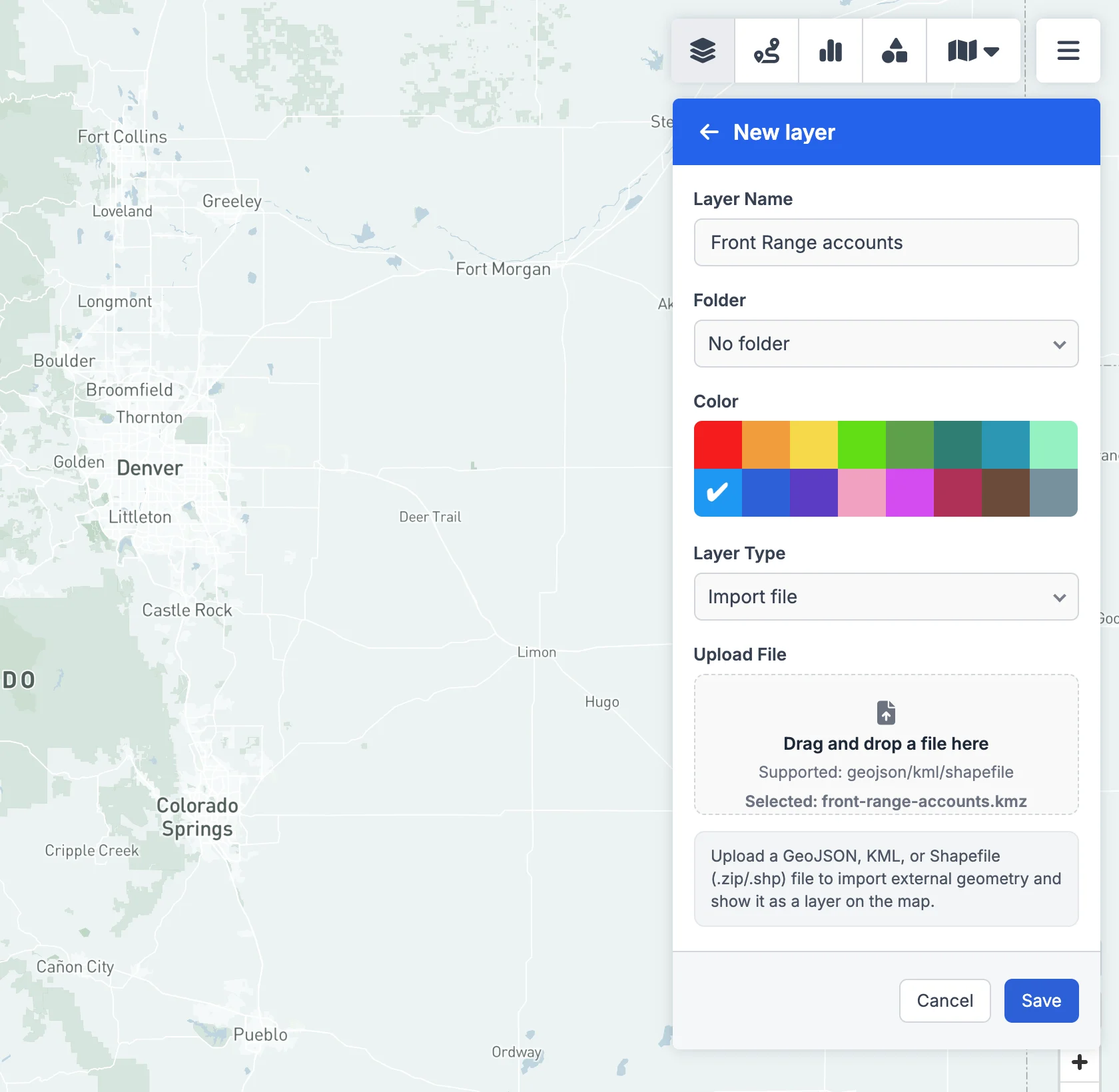
- 3Name it, pick a colour and click Save. The placemarks and polygons appear on your map and stay in your workspace.
Troubleshooting
- The map is empty or missing things. Some KMZ files contain only an image overlay, a 3D model or a network link that loads data from a URL. Viewers draw placemarks, lines and polygons, so those elements won't show. Open the file in Google Earth instead.
- "No .kml file found". The file may not be a real KMZ. Try renaming it to .zip and look inside, or check whether it's actually a plain .kml.
- It's very large. Big KMZ files with thousands of polygons can be slow anywhere. Converting to GeoJSON or a Shapefile often makes them easier to work with.
FAQ
- How do I open a KMZ file without Google Earth?
- Use an online KMZ viewer such as GeoMaps' free viewer: drop the file in and it's drawn on a map in your browser, with each feature's data listed below. Nothing to install.
- Can I open a KMZ file in Google Maps?
- Google Maps itself can't open KMZ files. You can import a KMZ of up to 5 MB into Google My Maps, or view it instantly in an online viewer.
- What's the difference between KMZ and KML?
- A KMZ is a KML file compressed together with its icons and images. Both contain the same kind of map data, and you can convert between them freely.
- How do I open a KMZ file on a phone?
- Open the online viewer in your phone's browser and pick the file, or install the Google Earth app, which opens KMZ files directly.
- How do I convert a KMZ file to Excel?
- Use a KMZ to Excel converter. Each placemark becomes a row with its fields plus latitude and longitude columns; lines and polygons are written as WKT text.