
Managing your subscription
Upgrade, downgrade, change your card or cancel — all from Billing.
You're in control of your plan — upgrade, downgrade or cancel whenever you need to, right from the Billing page.
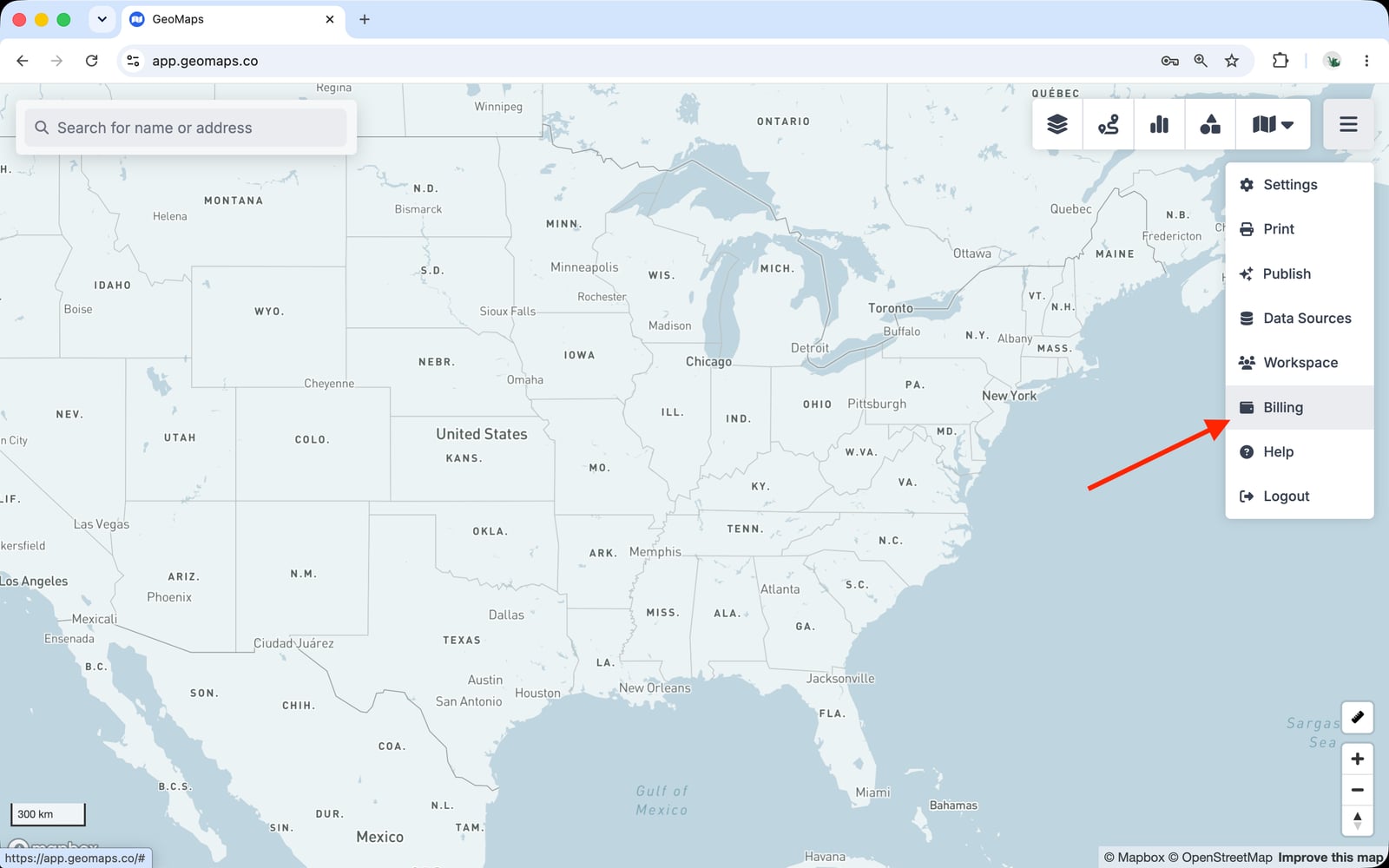
Open Billing
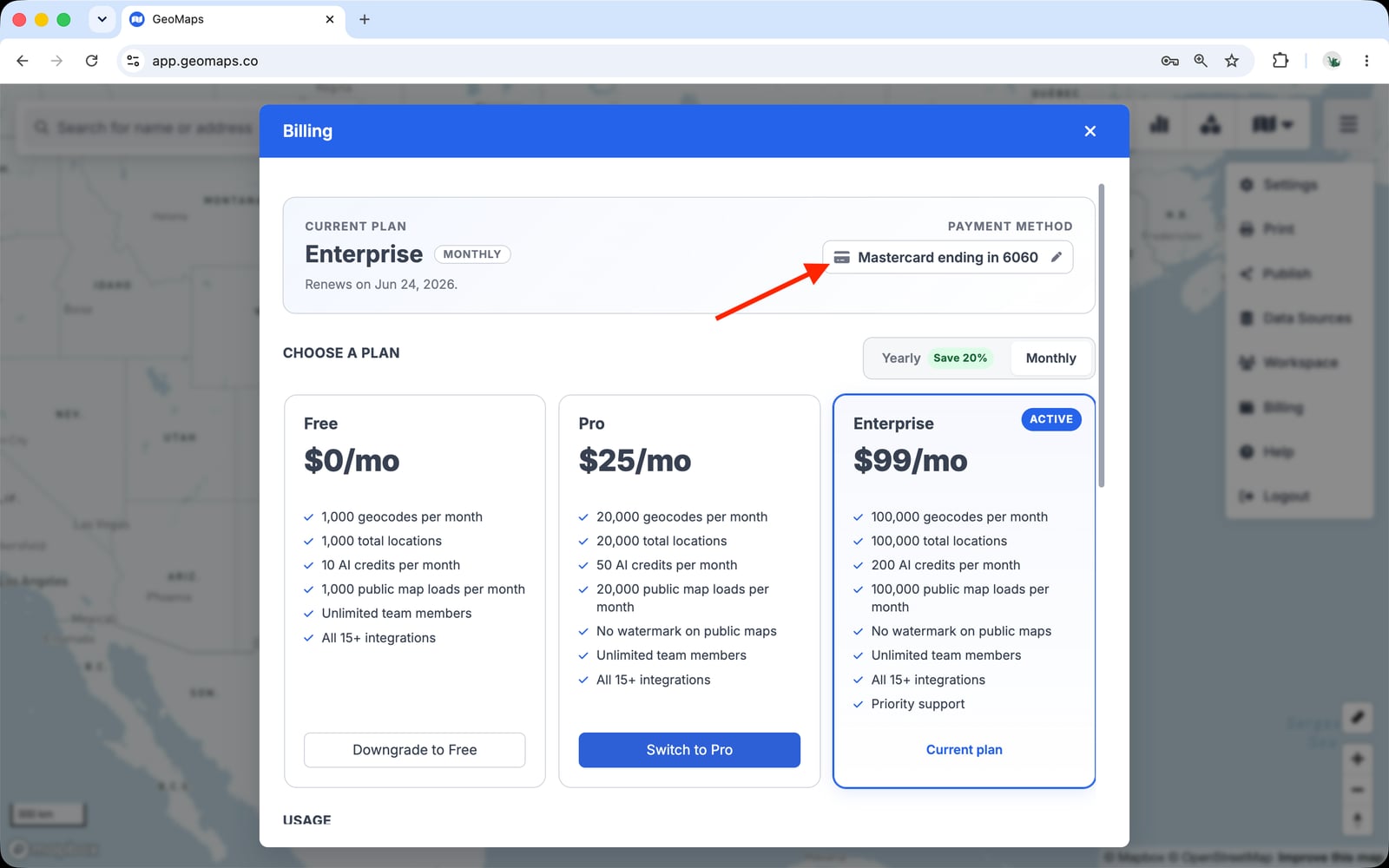
Open the menu in the top-right corner of the map and choose Billing. You'll see your current plan, your renewal date, your payment method, and a summary of this period's usage.
Upgrade or downgrade
Choose a new plan and confirm. Upgrades take effect immediately and you're charged a prorated amount for the rest of the current period. Downgrades apply at the end of the period, so you keep your current limits until then.
Update your payment method
Add or change your card under Payment method at the top of the Billing page. Receipts are emailed automatically and can be downloaded from Billing whenever you need them.
Cancel
You can cancel from Billing at any time. Your plan stays active until the end of the period you've already paid for — there are no prorated refunds for partial periods — and your maps move back to Free-plan limits afterward.
Still need help? Contact our team.