
How to Build an AI Store Locator Map
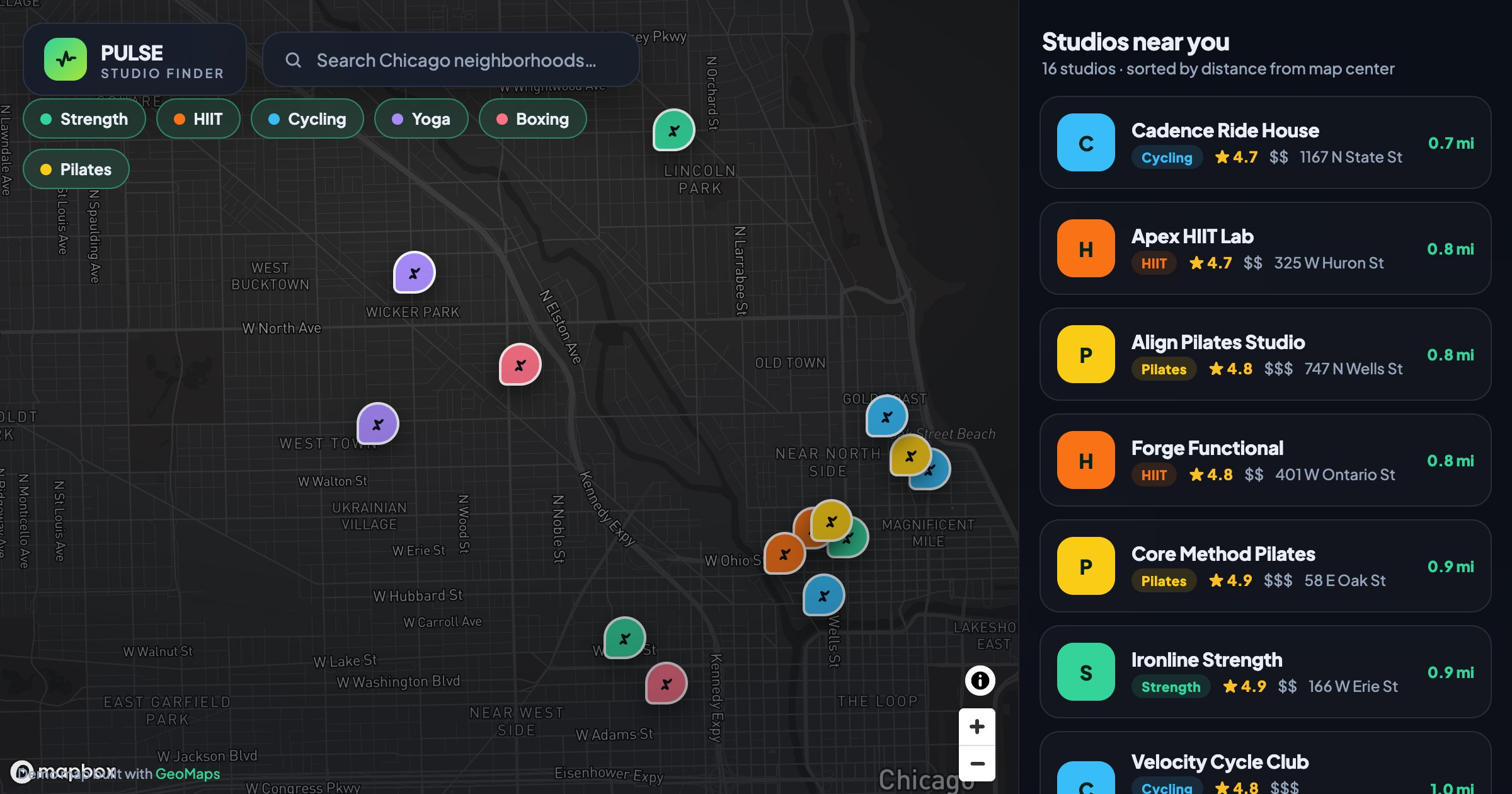
A store locator is the map customers reach for when they want to find you in person — search a city, see the nearest spots, tap for directions. Building one used to mean a developer and a mapping API. Now it's a prompt.
Describe the map, let AI build it
Connect your locations — a spreadsheet, Google Sheet or CRM — and describe the locator you want in plain language. GeoMaps generates it with AI: branded markers, a searchable list, filters and one-tap directions. Publish it as a link or embed it on your site, and it stays in sync with your data.
A good prompt names the data, the layout and the must-have features. For a store locator, try something like:
- Use my locations list as the data source
- Add a search box and a sidebar that sorts stores by distance
- Let visitors filter by type, hours or services
- Give every marker a one-tap directions link
- Match my brand colors and logo
The live example below is a fitness-studio finder built on exactly that pattern — search, a distance-sorted list, type filters and custom markers.