
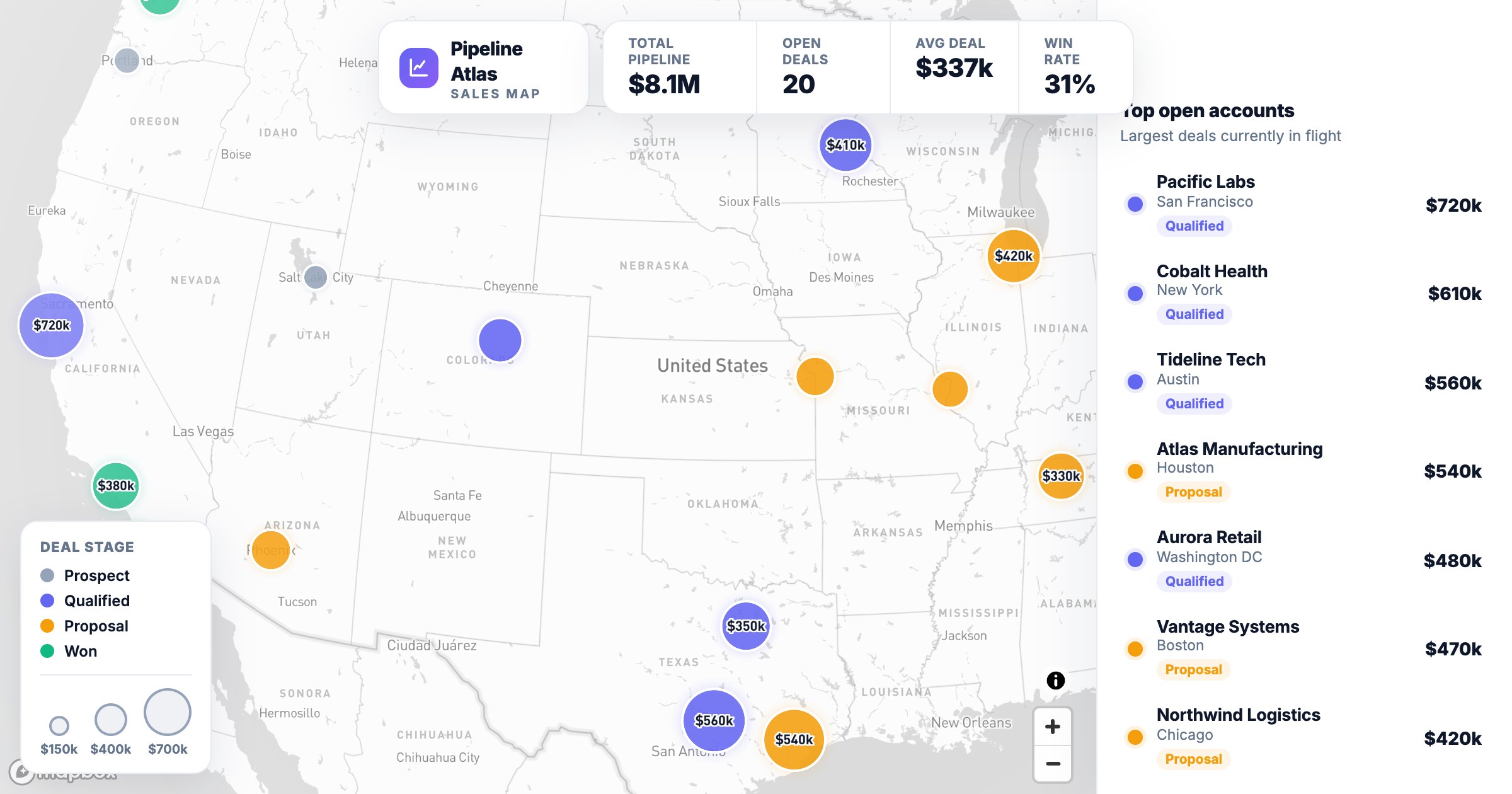
Your pipeline hides patterns in a CRM table that jump straight out on a map: which regions over- and under-index, where coverage is thin, which deals a rep could visit on one trip. A sales map makes them obvious.
From CRM to map, with a prompt
Connect your CRM (Attio, Close, Copper and 12 more) or a spreadsheet and describe the view you want. GeoMaps builds it with AI and keeps it in sync, so the map reflects your live pipeline without exports.
For a sales map, your prompt might say:
- Plot my accounts from Close on a US map
- Size each bubble by deal value and color it by stage
- Add KPI tiles for total pipeline, open deals and win rate
- List my largest open accounts in a side panel
- Let me filter by stage and owner
The live example below maps a national pipeline — proportional deal bubbles, live KPI tiles and a top-accounts panel.
Learn more
Explore sales mapping